POINT-TO-POINT PORTALS
a minecraft plugin by doop
If you've ever wanted to be able to create portals between any two points in a Minecraft map, then this is the plugin for you! Below are some helpful instructions for how to build and use portals.
CREATING AND LINKING THE PORTALS
First, using obsidian, build a portal like so:
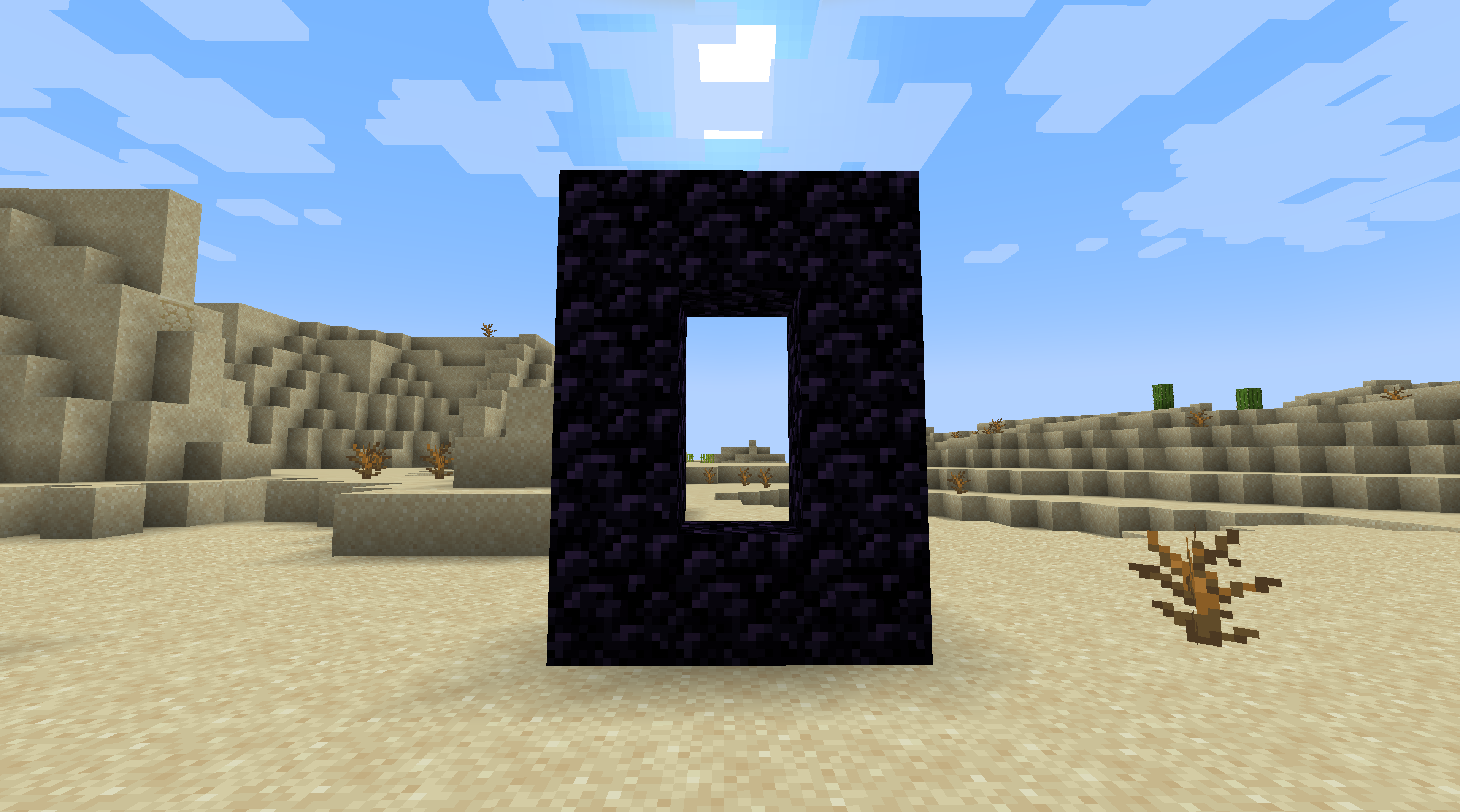
It is exactly three blocks wide and four blocks tall.
Next, place two copper blocks in the center of the portal. In order for this step to work, you must first place the lower block and then place the upper block.
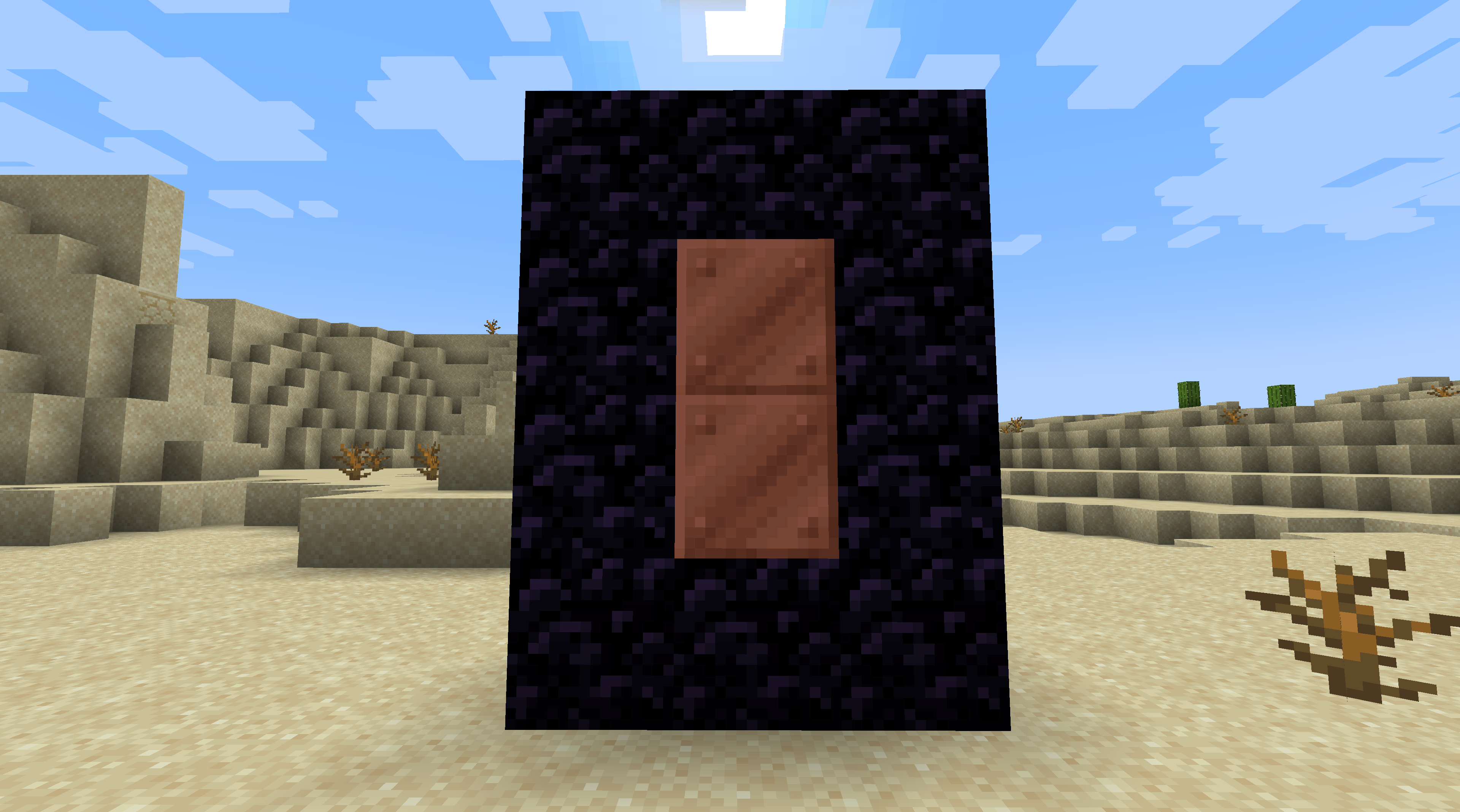
If you are successful, the copper blocks will disappear and you will get a chat message informing you that the first portal was created.
Next, travel to your destination and build the second portal to the same specifications as the first. In the screenshot below, the portal is sunk into the ground by one block for ease of access. Please note that if you die in-game before completing this step, your first portal will be forgotten about and you will have to start the process over again.
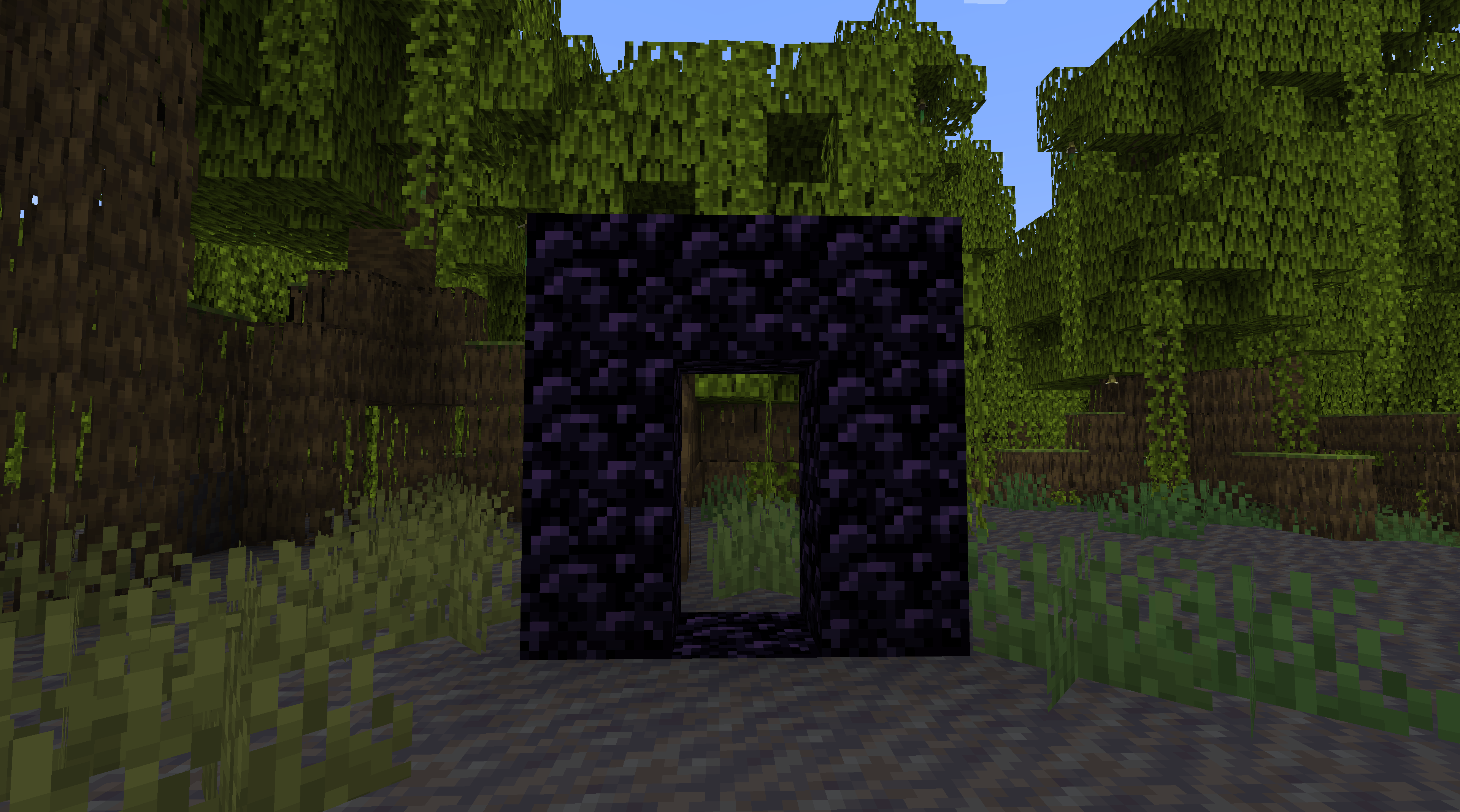
Now, to activate the portal, place the two copper blocks in the portal in the same order you placed them in the first portal (bottom, then top).

If you have done this all correctly, the two copper blocks will disappear and the two portals will be linked.
USING THE PORTALS
To use the portal, simply walk into the center of the portal and then crouch (press the left shift key). If you have enough copper ingots to pay the toll, the ingots will be debited from your inventory and you will be immediately whisked away to the linked portal. If you do not have enough copper ingots, you will get a chat message telling you how many ingots you need to pay the toll.
By default the toll is one ingot per 5000 blocks, or a flat rate of five ingots for travel between worlds (e.g. from the overworld to the nether). These tolls are configurable; just modify the options.json file and restart the server.
DELETING PORTALS
To delete a portal, use redstone blocks inside the portal just like you used copper blocks when creating the portal.
That's all there is to it!